XC Track – Tips and Tricks Part II
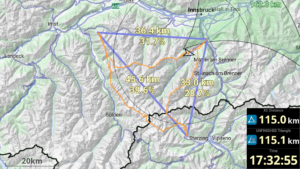
XC Track can be used to maximise XC points in flight. In addition to flying skills, this requires detailed knowledge of how XC Track is displayed and how it works.

XC Track can be used to maximise XC points in flight. In addition to flying skills, this requires detailed knowledge of how XC Track is displayed and how it works.
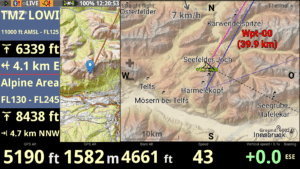
XC Track offers a very wide range of functions. I would therefore like to offer tips and tricks for XC Track in this series. I compiled the tips and tricks as part of an internal club seminar, but I have also included some tips from fellow club members.

Two years ago, I explained my XC Track page layouts in more detail. XC Track has evolved and I have also gained new insights since then. I have therefore adapted the settings over time and would like to present my updated settings again here.

Many pilots, and not only cross-country flight experts, now use XC Track, installed on their Android smartphone, to keep themselves informed about important data during the flight. One of the great strengths of XC Track is at the same time one of the great problems, namely that XC Track is very flexibly configurable. I would like to explain my concept for XC Track and how I configured my XC Track page layout in more detail in this article.