XC Track can be used to maximise XC points in flight. In addition to flying skills, this requires detailed knowledge of how XC Track is displayed and how it works.
How the XC points classification is determined in theory was explained in this article. However, Georg Bube has explained to us what tactical considerations can play a role in flight. This article is based on his seminar.
Selection of XC scoring
The scoring can be set in XC-Track under Preferences -XC Disciplines and Competition. The XContest rules are set by default, but the rules according to DHV-XC or other competitions can be set.
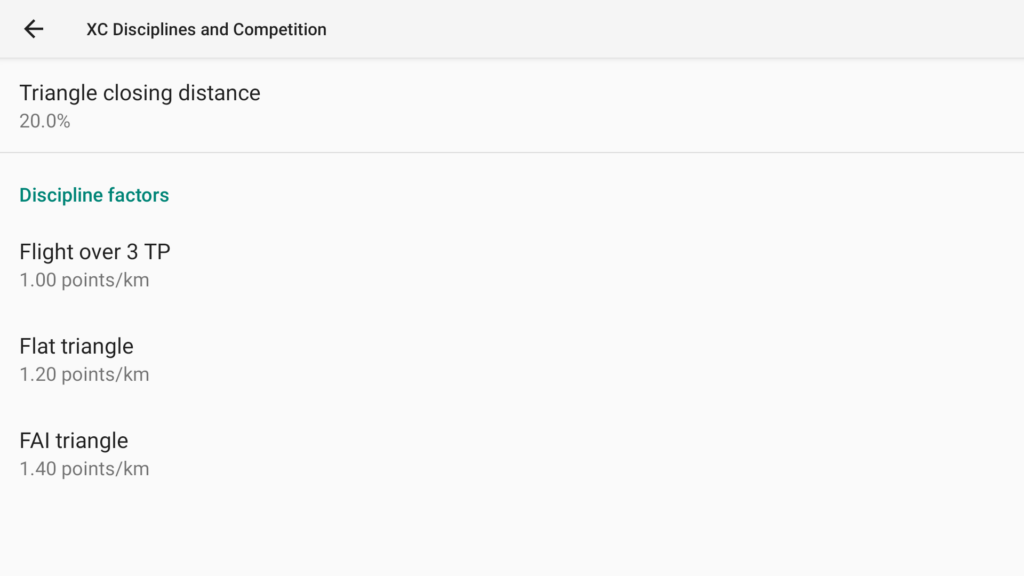
To set a rating according to DHV-XC rules, the following values must be set:
- Triangle closing distance: 20.0%
- Flight over 3 TP: 1.50 points/km
- Flat triangle: 1.75 points/km
- FAI triangle: 2.00 points/km
Scoring in flight
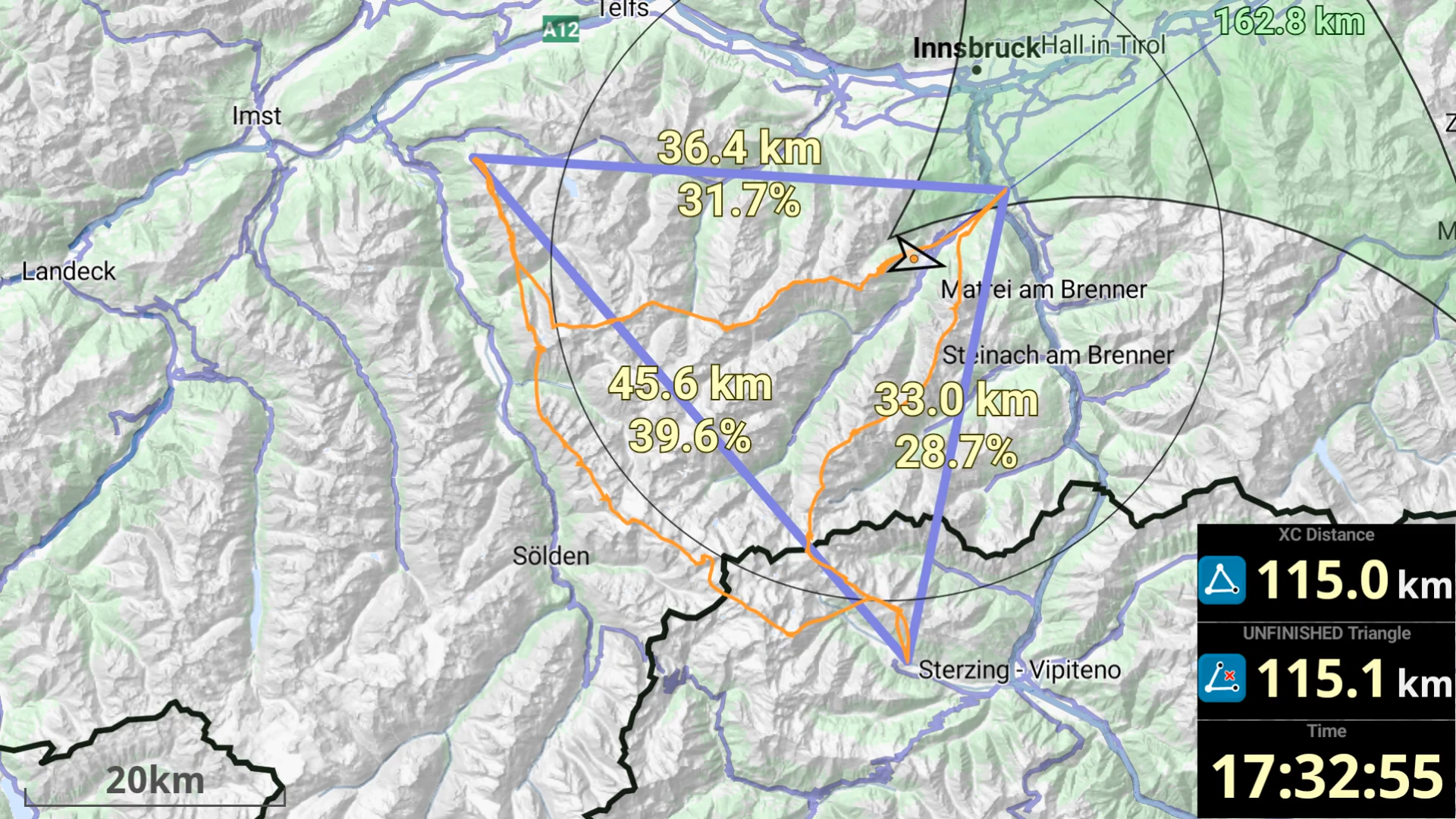
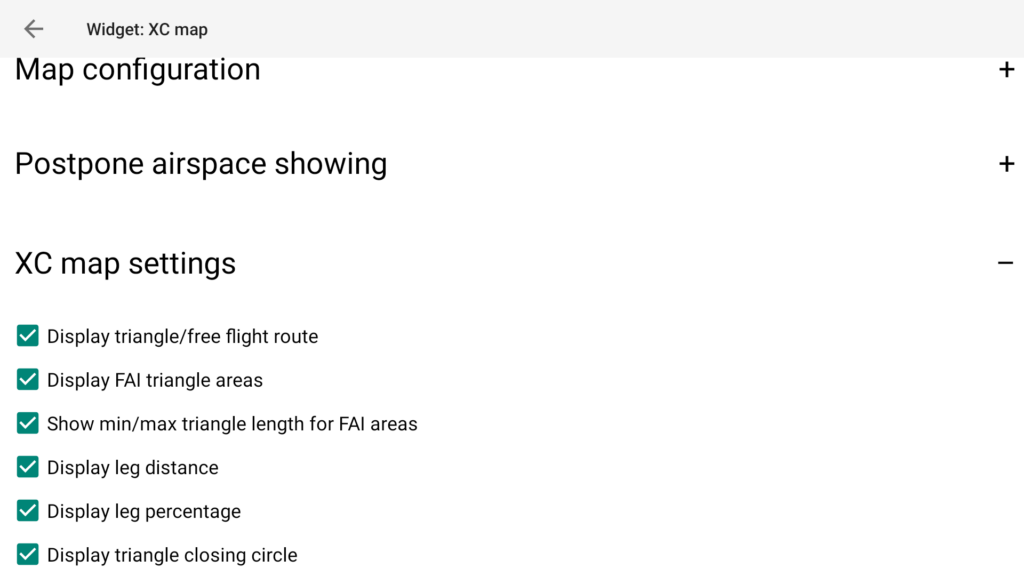
To display the route that you need to fly in order to maximise the XC points, it makes sense to tick all the boxes in the XC map widget under XC map settings. The options have the following meaning:
- Display triangle/free flight route: The triangle that is currently being evaluated. Free flight route is displayed in light grey, flat triangle in green and FAI triangle in blue.
- Display FAI triangle areas: Displays the FAI sectors. The position and size of the sectors are constantly updated in flight.
- Show min/max triangle length for FAI areas: Display of the XC route length at the top and at the outer edge of the FAI sectors (see example in the video of the Stubai Valley at 14:20).
- Display leg distance: Displays the leg length in kilometres.
- Display leg percentage: Displays the length of the legs as a percentage of the hypothetical total length. This is helpful for recognising in flight whether the FAI rule of the shortest leg of 28 % has been adhered to.
- Display triangle closing circle: Display of the circle that shows the 20% of the hypothetical XC route so that the route is recognised as a triangle.
The times given below refer to the times in the video. The video was recorded using the XC Track replay function at 50x speed and Georg’s IGC file. The flight took place on 9 September 2023 in the Stubai Valley.
13:45: The free route is displayed as a grey line. The XC distance widget displays the orange symbol and the rated XC distance for the free route.
13:54: A flat triangle is detected (coloured green). The UNFINISHED Triangle widget displays the green symbol for an unclosed triangle and the hypothetical XC route if you fly directly back to the launch site to close the triangle. The black circle shows the 20 % of the XC route so that the route is recognised as a triangle if you fly directly towards the circle from your current position.
14:20: The FAI sector is displayed in the lower area. If the upper tip of the sector was approached and the triangle closed, a 69.3 km closed FAI triangle would be reached. If you were to fly to the lower edge of the sector, the closed FAI triangle would be 109.0 km in size.
14:44: Switch to the blue FAI triangle symbol in the UNFINISHED Triangle widget, as the closure now scores more points compared to a triangle.
16:17: As the circle marking the 20% of the distance to close the triangle is reached, the XC-Distance widget displays the green symbol and the XC distance counted for reaching the flat triangle.
16:21: At this position, the FAI triangle leads to a higher score compared to a flat triangle, which is why the blue symbol for reaching the FAI triangle and the scored XC distance are displayed in the XC distance widget.
With XC Track it is possible to make all kinds of tactical considerations in flight in order to maximise the XC points for the flight. It is worth taking a closer look at XC scoring. I cannot reproduce all of Georg’s tactical considerations, which he explained to us in the seminar, here.
In order to enlarge the flat triangle, it is customary in Bassano to fly southwards into the flat at the end of the flight. There is a special feature here that must be observed. The flight took place on 18 July 2024 in Bassano.
11:54: Changeover from clear track to flat triangle as the circle marking the 20% of the track to close the triangle is reached.
12:36: Switch to free route in the XC-Distance widget, as from here onwards a free route scores more points than the flat triangle.
14:01: When the circle is reached, the system switches back to the flat triangle.
14:45: Flying over the launch site completes the flat triangle.
15:01: Flying out into the flatlands, the unfinished triangle grows larger. The XC distance in the XC Distance widget no longer changes as long as the pilot moves away from the point of the closed triangle.
15:37: Only when flying back toward the landing site does the scored XC distance increase, as the distance between the start point and the end point now decreases and the deduction for calculating the total XC distance also decreases (see article on XC scoring, section XContest). When crossing the route, the flat triangle is considered closed.